请注意,本文编写于 838 天前,最后修改于 530 天前,其中某些信息可能已经过时。
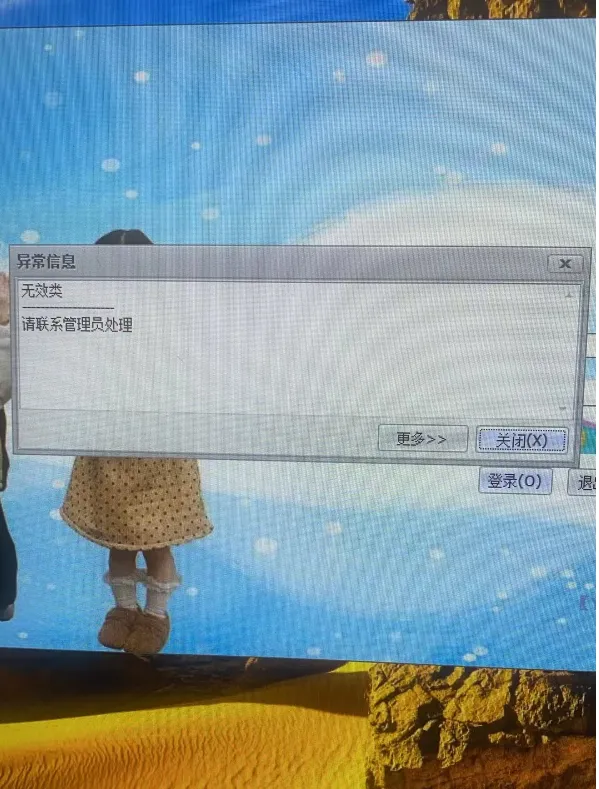
无效类
错误信息:无效类
处理方式:
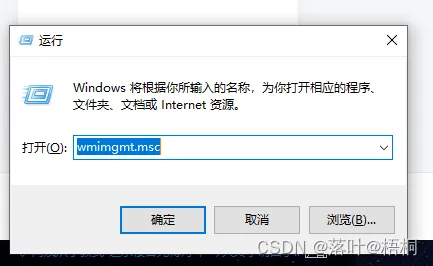
1、检查 :运行:wmimgmt.msc
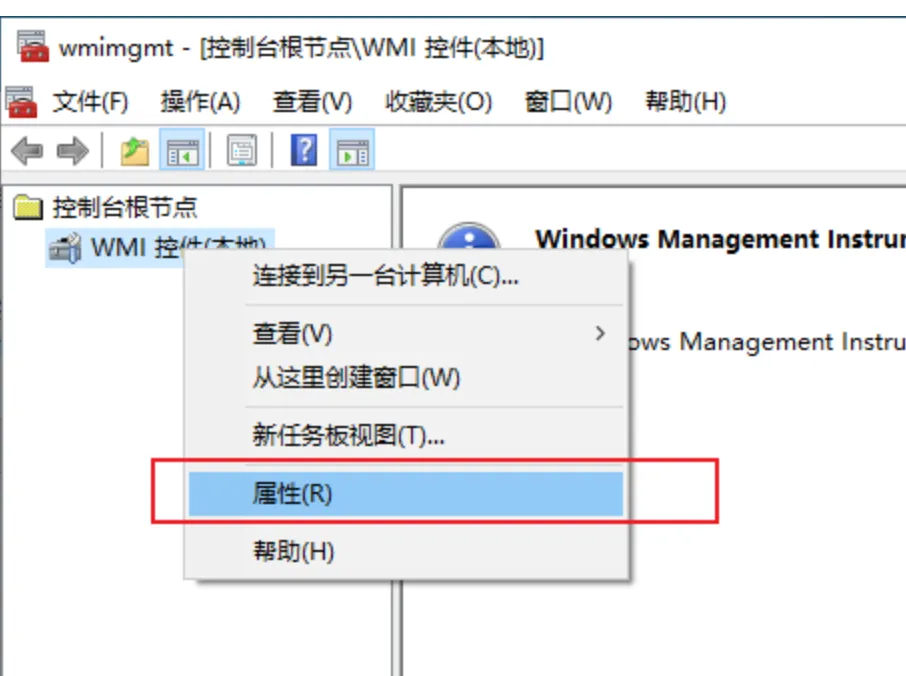
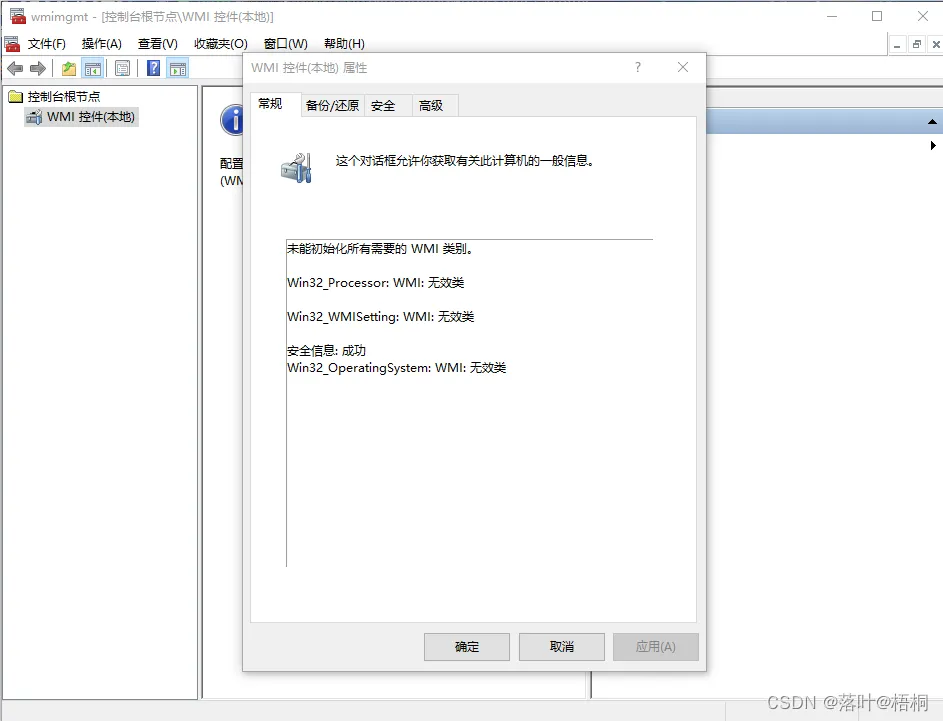
2、如果是上述提示,检查Windows Management Instrumentation (WMI) 存储库的一致性和完整性
管理身份允许CMD 或者windows powershell
winmgmt /salvagerepository
然后执行命令以查看它现在是否恢复为一致
winmgmt /verifyrepository
如果它说Repository不一致,那么你需要运行
winmgmt /resetrepository
3、然后重启电脑,进入电脑后,win+r,输入“wmimgmt.msc”回车去检查是否还有错误
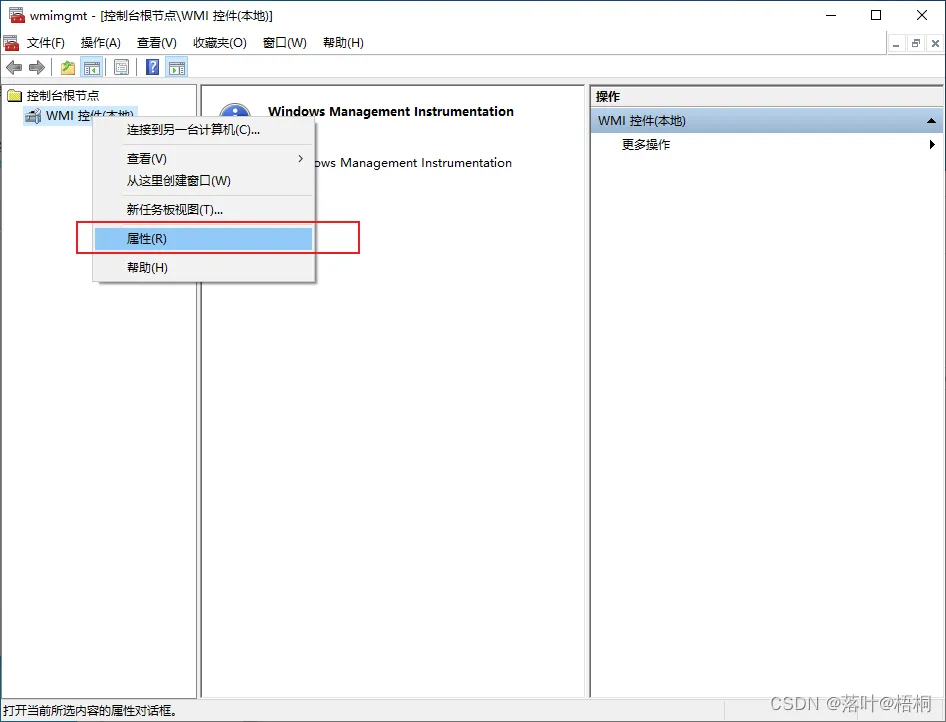
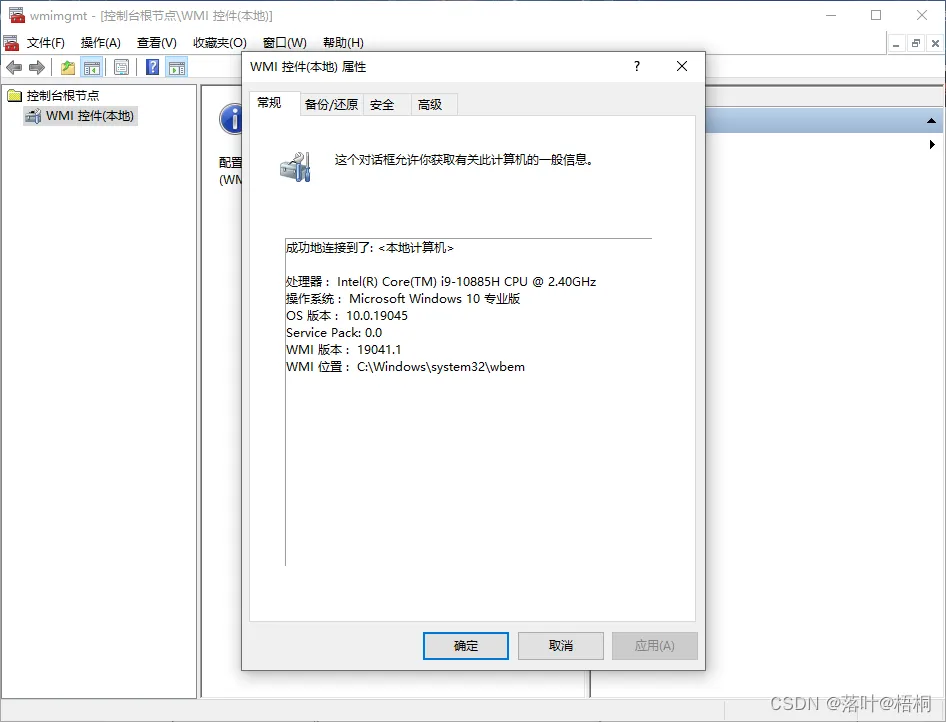
4、如果一直显示连接中,则需要重启一下服务
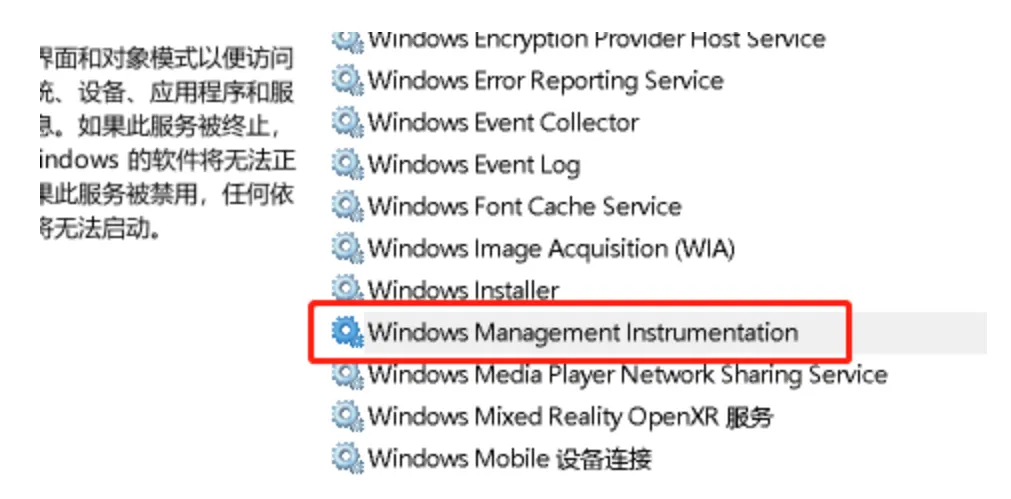
5、重新打开软件显示正常了
参考教程: https://www.thewindowsclub.com/how-to-repair-or-rebuild-the-wmi-repository-on-windows-10
参考2: https://blog.csdn.net/qq_43279097/article/details/135983514
最后如果还不行
如果不行执行一下批处理(管理员身份运行)
@echo on
cd /d c:\temp
if not exist %windir%\system32\wbem goto TryInstall
cd /d %windir%\system32\wbem
net stop winmgmt
winmgmt /kill
if exist Rep_bak rd Rep_bak /s /q
rename Repository Rep_bak
for %%i in (*.dll) do RegSvr32 -s %%i
for %%i in (*.exe) do call :FixSrv %%i
for %%i in (*.mof,*.mfl) do Mofcomp %%i
net start winmgmt
goto End


:FixSrv
if /I (%1) == (wbemcntl.exe) goto SkipSrv
if /I (%1) == (wbemtest.exe) goto SkipSrv
if /I (%1) == (mofcomp.exe) goto SkipSrv
%1 /RegServer


:SkipSrv
goto End


:TryInstall
if not exist wmicore.exe goto End
wmicore /s
net start winmgmt
:End
本文作者:易神软件
本文链接:
版权声明:本博客所有文章除特别声明外,均采用 BY-NC-SA 许可协议。转载请注明出处!